Using School Girl Back to School Cartoon Graphics for Real Projects and Workflows
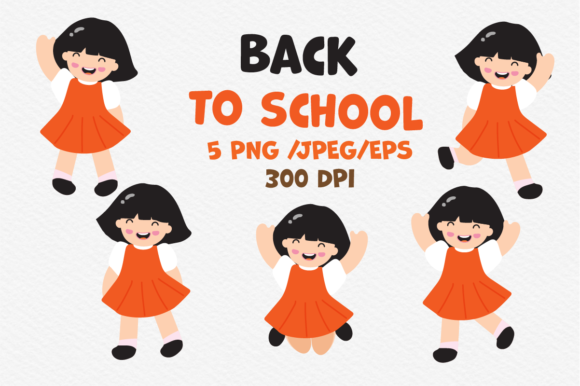
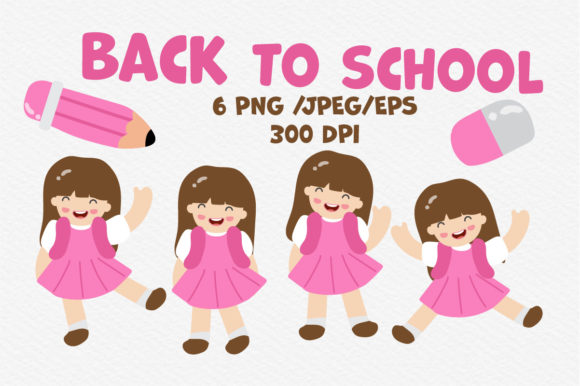
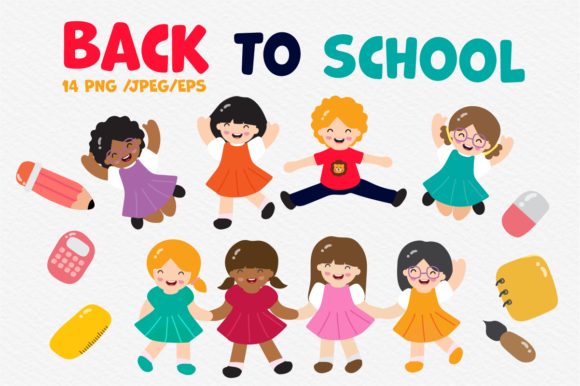
When you download a graphic asset pack, you are not simply collecting images. You are acquiring building blocks that can shape a marketing campaign, an educational handout, a social media schedule, or a classroom decoration set. The School Girl Back to School Cartoon pack delivers exactly that kind of flexible material. With 14 PNG files featuring transparent backgrounds, 14 JPEG versions, and 2 editable EPS files bundled in a single zip, this set gives you both ready-to-use formats and source files for deep customization. Understanding what each format offers and how to weave them into your existing processes makes the difference between a purchase that sits on a hard drive and one that actively improves your output.
What the Pack Contains and Why the Format Mix Matters
The pack covers three file types, and each serves a distinct role in a production workflow. The PNG files with transparent backgrounds are immediately usable in web design, slide decks, social media posts, or print materials where you need the character to sit on top of another background without white boxes or cutout artifacts. The JPEG versions work well for platforms or software that handle JPEG natively, such as certain email marketing tools, document editors, or quick previews. The two EPS files are vector-based, which means you can scale the artwork to any size without losing quality, edit individual elements, change colors, or extract parts of the illustration for other uses.
For someone creating back-to-school content repeatedly across different channels, this combination means you do not need to request custom artwork every time the medium changes. You have one source that adapts to print, web, video, and physical products. That efficiency is the core reason to consider an asset pack like this over commissioning original illustrations for each use case.
Planning Your Content Before You Open the Zip File
Before you unzip the folder, spend a few minutes mapping out where the School Girl Back to School Cartoon graphics will appear. This is not about overthinking. It is about aligning the visual style of the pack with the tone of your project. The cartoon look is friendly, approachable, and school-themed. That makes it a natural fit for educational materials, parenting blogs, tutoring services, school supply marketing, classroom decor, and newsletter headers for September campaigns.
If you are a teacher preparing a welcome packet for students, the cartoon style can add warmth without being childish. If you run a small business selling lunch boxes or backpacks, the same illustration can appear on your website banner, your Instagram post, and your email signature block. Planning ahead prevents the common mistake of using the asset in one place, then realizing you need a different orientation or file format for another channel, and having to go back to the source.
Consider making a simple checklist: which platform needs a transparent PNG, which needs a JPEG, and which project could benefit from opening the EPS file and adjusting colors to match your brand palette. That upfront thinking takes ten minutes and saves hours of reformatting later.
Integration During Active Production Workflows
Once you have your plan, the real work begins. The PNG files with transparent backgrounds are your fastest path to a finished piece. If you are building a social media graphic in Canva, Photoshop, or even a presentation tool like Google Slides, you drag the PNG directly onto your canvas. No background removal, no messy masking. This is especially useful when you are producing multiple pieces of content in a short window, such as a week of back-to-school posts.
For blog posts, the JPEG versions work well inside the article body. Many content management systems handle JPEG more efficiently than PNG for inline images, especially when the image sits inside a colored section or a card layout where the background is already designed. You can use the JPEG as the main visual for a "10 Tips for a Smooth School Start" article and keep the transparent PNG for the featured image overlay.
The EPS files come into play when you need control. Open them in Adobe Illustrator, Affinity Designer, or Inkscape, and you can change the color of the school uniform to match your brand, remove elements you do not need, or combine the character with other graphics you already own. For example, if your brand uses a specific shade of blue and orange, you can adjust the illustration to reflect those colors. That level of customization turns a generic cartoon into a branded asset that looks intentional rather than stock.
Post-Project Applications and Long-Term Asset Management
After you finish your immediate campaign, do not archive the files and forget them. The School Girl Back to School Cartoon pack can serve you again the following year, especially if you keep the EPS source files and make small adjustments to reflect new trends or updated brand guidelines. Reusing vector graphics with color updates is far faster than starting from scratch or searching for new illustrations every August.
You can also repurpose the character across different media. Use the PNG to create a sticker sheet for a student planner, use the JPEG for a printed flyer, and use the EPS to produce a larger poster or a banner for a school event. The initial purchase becomes a long-term resource rather than a one-time download.
Organize your files clearly from the start. Create a folder structure that separates PNG, JPEG, and EPS files, and add a subfolder for any customized versions you produce. Name your files with descriptive tags like school-girl-cartoon-front-blue-uniform.eps so you can find them quickly next season. A little file management discipline now prevents the frustration of digging through generic folder names later.
Practical Workflow Examples by Role
Different professionals will use this pack in different ways. Here are a few realistic scenarios that show how the assets fit into everyday work.
For a blogger or content creator
You write a post titled "How to Prepare Your Child for the First Day of School." You open the pack, pull a transparent PNG of the school girl holding a backpack, and place it next to your headline. The JPEG version goes inside the post as a visual break between sections. You export the EPS at a larger size and use a cropped portion as your Pinterest pin image. Three formats, one source, one blog post, multiple channels.
For a small business owner selling school supplies
You are designing a product page for a new lunch bag. You open the EPS file in Illustrator, change the character's outfit color to match your product photography, and place her next to the lunch bag image. The result is a cohesive scene that shows the product in context. You also export a PNG version for your email newsletter and a JPEG for your Etsy listing. The same character ties your brand together across your storefront and your marketing.
For an educator or school administrator
You are putting together a welcome packet for new students. You use the transparent PNG on the cover page so the character floats over a school building background. Inside the packet, you insert a JPEG version next to a checklist of items to bring on the first day. The EPS file lets you print a large poster for the hallway, resized without any pixelation. The unified look communicates a friendly, organized school environment.
For a freelance graphic designer
A client needs back-to-school social media assets for a two-week campaign. You buy the pack, open the EPS, and create three variations of the character with different color schemes for different client brands. You export PNGs for Instagram stories and JPEGs for Facebook posts. The vector source saves you from redrawing the character each time, and you can deliver consistent work in less time.
Quality Control and Consistency Across Outputs
When you use the same character across multiple formats, consistency becomes straightforward. The School Girl Back to School Cartoon illustrations maintain a uniform line weight, color palette, and style, so your print piece, your web graphic, and your social media post all feel like they belong to the same family. That visual coherence is something audiences notice, even if they do not articulate it. It builds recognition and trust.
Check a few things before you publish. Ensure that the transparent PNG exports correctly and that no leftover white pixels appear around the edges. If you edit the EPS file, verify that the colors look correct on screen and in a test print. JPEG compression can sometimes dull bright colors, so export JPEGs at high quality settings, especially if you are printing. These small checks take minutes but prevent the asset from looking unprofessional in its final placement.
Observations on Long-Term Use and Adaptability
The best graphic assets are the ones that do not lock you into one use case. This pack gives you both raster and vector options, which means you can adapt it to new tools and platforms as they emerge. If you switch from Photoshop to a browser-based design tool next year, the PNG files will still work. If you decide to print on fabric or vinyl, the EPS files will scale appropriately. The versatility is built into the format choices, not something you have to engineer yourself.
One practical tip is to keep the EPS file as your master copy and generate new PNG or JPEG exports whenever you need them, rather than trying to archive every derivative format. That way, you always have a single source of truth that you can edit and regenerate. It also keeps your file system leaner.
If you work with a team, the EPS files become especially valuable. One team member can open the vector file in a design tool, adjust the colors for a specific campaign, and export the new PNGs and JPEGs for the rest of the team to use. This divides the workload and ensures everyone is working from the same base artwork.
Making the Purchase Decision Practical
If you are evaluating whether this pack fits your workflow, consider the volume and variety of content you produce in a typical back-to-school season. If you create three or more pieces of content that need a similar visual theme, the pack pays for itself in time saved alone. The 14 different illustrations give you enough variety to avoid repetition across posts, emails, and print materials. The two EPS files let you customize at a deeper level, which is hard to get from free or low-cost resources.
Think about your own process. Do you frequently need to remove backgrounds from images? The transparent PNGs eliminate that step. Do you work with clients or colleagues who need editable files? The EPS format covers that need. Do you prefer quick drag-and-drop work? The JPEGs are ready out of the zip. The pack is not just a set of images. It is a small system that fits into the way you already work.
By treating the School Girl Back to School Cartoon graphics as part of a broader process rather than a standalone decoration, you get more value from the purchase and produce better results for your audience. Whether you are a teacher, a blogger, a business owner, or a designer, the formats and the style give you room to execute your ideas without fighting the tools.