Exploring Back to School Doodle Vector 02: A Versatile Design Resource for Creative Projects
Designing back-to-school materials often requires a blend of playfulness and clarity. Whether you are preparing classroom handouts, marketing campaigns for educational products, or social media graphics for the new academic year, the visual style you choose can shape how your message is received. Among the many options available, Back to School Doodle Vector 02 has gained attention as a flexible and scalable illustration set. This article unpacks what this vector pack offers, how it compares to other design approaches, and when it might—or might not—serve your project best.
What Is Back to School Doodle Vector 02?
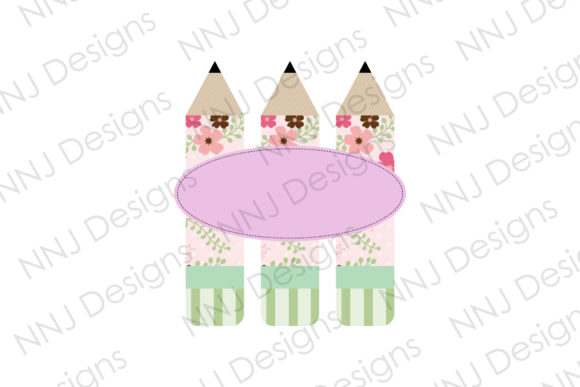
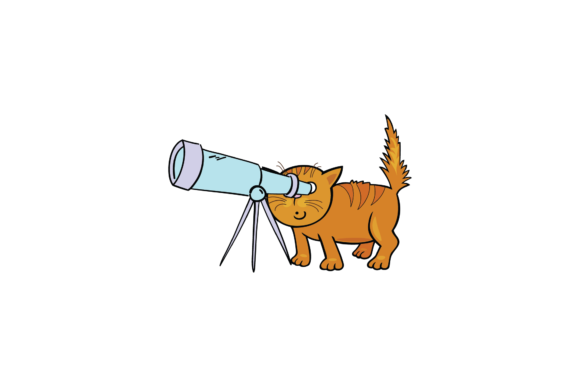
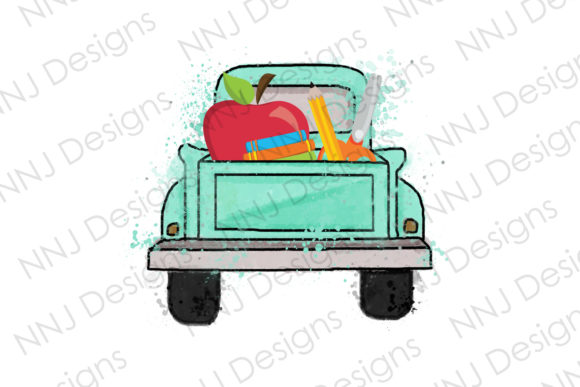
Back to School Doodle Vector 02 is a curated collection of 100 vector illustrations centered on school and learning themes. The set adopts a flat design style, which means shapes are simplified, colors are often solid or softly graduated, and there is little to no shading or texture. This aesthetic is widely used in modern web graphics, infographics, and social media because it is clean, direct, and easy to combine with other design elements. Each illustration is delivered in Adobe Illustrator (AI), EPS, PDF, PNG (with transparent background), and JPG formats. The resolution of each file is 4000 x 6000 pixels, providing ample room for both screen and print use. Because the illustrations are vector-based, you can scale them up or down without any loss of quality, and you can change colors easily to match a specific brand or mood.
How It Compares with Alternative Design Resources
When evaluating a set like Back to School Doodle Vector 02, it helps to place it alongside other types of back-to-school graphics. Not all design resources are equal, and the best choice depends on the project’s goals, timeline, and technical requirements.
Vector Doodles vs. Photographic Stock Imagery
Photographs of classrooms, students, and school supplies can feel authentic and emotionally resonant. However, they often come with limitations: models may not reflect your target audience, lighting and backgrounds can be hard to edit, and resolution may be fixed. Vector doodles, by contrast, give you complete control. You can recolor a backpack illustration to match a brand palette, delete an unwanted element, or change the size of a doodle of a pencil without waiting for new assets. Back to School Doodle Vector 02’s flat design also avoids the dated look that can sometimes affect photo libraries. That said, if your project needs realistic human faces or very specific classroom scenarios, a photo or a custom illustration might be more appropriate than a doodle set.
Flat Design Vector Sets vs. Detailed Illustrations
Some illustration packs use layers of shading, gradients, or isometric perspectives to add depth. These can be impressive for hero images or print materials where high visual impact is critical. Yet they often require more skill to edit and may not scale down as cleanly for icons or small social media elements. Back to School Doodle Vector 02 sticks to a flat design style, which simplifies editing and ensures consistency across the set. If your workflow involves many quick adaptations—for instance, creating a weekly series of school-related social posts—the uniform style of this vector pack can save time. On the other hand, if you are designing a book cover or a detailed poster that benefits from depth and shadow, a more elaborate vector set or a custom illustration might be worth considering.
Versus Creating Your Own Doodles from Scratch
Commissioning or drawing original doodles gives you total uniqueness but requires significant time, budget, and (if you outsource) coordination with an artist. Back to School Doodle Vector 02 provides a ready-made foundation. You can start editing and assembling materials immediately. Because the set includes 100 different illustrations, you have a wide vocabulary of shapes—school buses, books, pencils, globes, backpacks, and more—to combine into layouts. For a teacher preparing a classroom bulletin board or a small business creating an email campaign, this can be a cost-effective alternative to hiring a designer. However, if your brand identity demands a very specific hand-drawn look or a particular cultural representation, a custom set may still be the better path.
Strengths and Practical Tradeoffs
Every resource has its strong suits and its limitations. Let’s look at where Back to School Doodle Vector 02 excels and where you might need to supplement or pivot.
Strengths
- Scalability and resolution: Because the files are vector, you can use the same illustration for a tiny icon on a mobile app and for a large poster without degradation. The 4000 x 6000 pixel PNG and JPG versions also give you high-resolution rasters for immediate use.
- Format flexibility: The inclusion of AI, EPS, PDF, PNG, and JPG means you are not locked into one software. You can open the original vectors in Adobe Illustrator, Inkscape, or even import the EPS into other design tools. The PNG with transparent background is handy for quick compositing in PowerPoint or Canva.
- Ease of customization: Flat design vectors typically have fewer anchor points and simpler curves than richly shaded illustrations. Changing colors is often a matter of selecting a shape and picking a new fill. This makes the set approachable for users who are not professional illustrators but need to produce polished visuals.
- Theme coherence: All 100 illustrations share a consistent visual language. When you use multiple elements together, they look like they belong in the same family, which is essential for infographics, website banners, or a series of social media posts.
Tradeoffs and Limitations
- Style specificity: The flat doodle look is trendy, but it might not suit every brand. A luxury e-learning service or a formal academic publication might prefer a more minimalist or sophisticated aesthetic.
- Number of illustrations: 100 is a generous count, but the set is still finite. If your project requires very unique items—such as a specific sports equipment or an obscure STEM lab tool—you may need to create additional graphics or seek a more specialized set.
- No editable text or typography: The illustrations are visual only. You will need to add your own fonts and text layers. For some users, this is a benefit; for others, it means extra step.
- File size considerations: High-resolution files at 4000 x 6000 pixels can be large. While this is great for print, you might need to downscale them for web use to keep load times low.
When Back to School Doodle Vector 02 Is a Good Fit
This vector set works well for a variety of practical scenarios. Consider using it for:
- Classroom materials: Teachers creating worksheets, newsletters, or bulletin board decorations will appreciate the ability to resize and recolor elements. For example, a teacher can take the globe vector, change its color to match a theme week, and place it on a poster about geography.
- Educational marketing and social media: A tutoring center or educational publisher can batch-create a month of social media posts by mixing and matching the doodles with text overlays. The consistent flat style ensures each post feels like part of the same campaign.
- Infographics and reports: The clean lines and simple shapes make the illustrations easy to incorporate into charts, timelines, and data visualizations. You can use the school bus vector to denote a step in a process infographic, for instance.
- Website and app icons: Because vectors scale perfectly, you can use the illustrations for navigation icons, landing page graphics, or error page illustrations.
When You Might Need an Alternative
No single resource fits every project. You may want to look elsewhere if:
- Your brand calls for realism: A medical or technical education product might benefit from realistic anatomical or instrument illustrations rather than doodles.
- You need a very large variety of assets: For a comprehensive school website with dozens of unique pages, you might eventually exhaust the 100 illustrations or wish for more variation in poses and objects.
- Your design direction is minimalist or geometric: Some modern brands prefer icons with uniform outlines or a more abstract style. Flat doodles with irregular, hand-drawn-like lines have a casual personality that may not align with a sleek, corporate brand.
- You require animations: While vector files can be imported into animation software, the set does not include pre-built motion paths or layered animations. If your project focuses on animated explainer videos, you might prefer a set designed with animation in mind.
Decision Factors to Consider
Before purchasing or passing on Back to School Doodle Vector 02, weigh these factors against your specific needs.
- Your design skill level: If you are comfortable with Adobe Illustrator or a similar vector editor, you will unlock the full potential of the AI and EPS files. If you prefer drag-and-drop tools, the PNG transparent version still gives you useful assets with minimal effort.
- Your timeline: Need a project done in two days? A ready-made vector set shortens the design phase. If you have weeks to plan, you might invest in custom illustrations.
- Volume of use: For a single project, 100 illustrations may be more than enough. For an ongoing series of many distinct materials, you might need to supplement with additional sets or create your own variations.
- Print vs. digital: The high resolution supports print at sizes up to poster scale. For web use, you will likely downscale files, but the quality remains crisp.
- Brand consistency: If your organization uses a specific color scheme, the ability to recolor all vector elements easily is a major advantage. Test a few illustrations with your brand colors to see how the flat design adapts.
Final Thoughts on Choosing the Right Design Resource
Back to School Doodle Vector 02 offers a practical, flexible foundation for back-to-school visuals. Its flat design style and vector format give you room to scale, recolor, and repurpose the illustrations across many mediums. Compared to stock photography or hand-drawn commissions, it strikes a balance between convenience and control. However, understanding its limitations—especially if you need photorealism, a very specific thematic range, or a different aesthetic—will help you decide where it fits in your toolkit. For many educators, small business owners, and content creators, this set can be a time-saving and cost-effective resource. For others, it may serve as a starting point that you later expand with additional assets. The key is to match the resource to the specific demands of your project and the expectations of your audience.