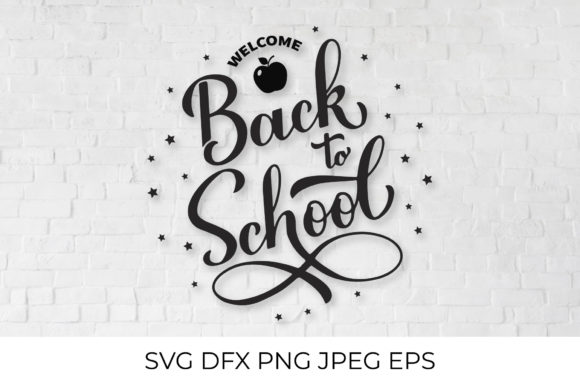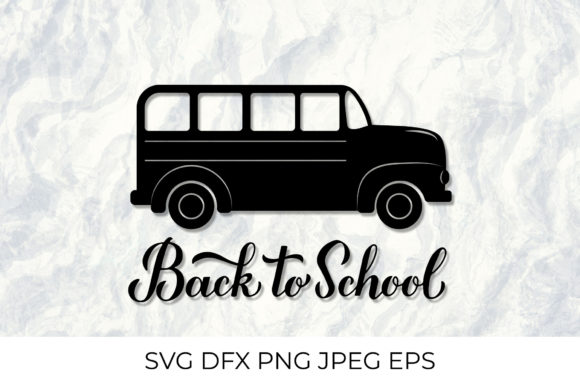
Back to School Calligraphy Lettering
The back-to-school season carries a unique energy. It is a time of fresh starts, new routines, and creative projects that signal transition. For designers, crafters, educators, and small business owners, this period also brings the need for polished, themed visuals that stand out. Back to School Calligraphy Lettering offers a refined way to capture that spirit, especially when the design incorporates iconic imagery like a school bus. The right digital files can transform a simple idea into a finished product ready for apparel, classroom décor, social media, or marketing materials.
What makes these lettering files particularly valuable is the combination of hand-lettered style with practical, multi-format usability. Whether you are creating iron-on transfers for custom t-shirts, designing stickers for planners, or building a cohesive back-to-school brand for your small business, having access to layers and transparent backgrounds simplifies the entire workflow. The school bus motif, paired with calligraphy lettering, instantly communicates the season without needing extra design work.
Understanding the File Formats and What They Enable
One of the first considerations when choosing digital design assets is compatibility with your tools and software. The listing includes several file types, each serving a specific purpose. The SVG layered vector file works directly with Silhouette Studio Designer and Cricut Design Space. This means you can scale the artwork without losing sharpness, separate elements for multi-color cutting, or adjust individual layers to suit your project.
The DXF format is available for users with the basic edition of Silhouette Studio, ensuring that even those without upgraded software can still work with the design. For vector editing in programs like Corel Draw, Adobe Illustrator, or Inkscape, the EPS 10 file provides a reliable foundation. This is especially useful if you want to modify colors, add text, or combine the school bus lettering with other design elements.
Raster-based needs are covered by the PNG file with a transparent background. At approximately 10,400 pixels on the wide side, it offers substantial resolution for printing, clipart use, or social media graphics. Transparent backgrounds are essential when layering designs onto different colored substrates or backgrounds without unsightly white boxes. The JPEG file, sized at 5000x5000 pixels (roughly 16x16 inches) at 300 dpi, is ideal for iron-on transfers. High resolution ensures crisp edges and clean lettering, even after multiple washes on fabric.
All files are packaged in a single .zip archive, which is standard practice for digital downloads. Before purchasing, it is wise to confirm that your software supports these formats. Most modern design programs handle SVG, DXF, EPS, PNG, and JPEG, but checking compatibility ahead of time prevents frustration.
Practical Benefits for Creators and Small Business Owners
The value of this back-to-school calligraphy lettering lies in how it simplifies production workflows. If you run an Etsy shop selling custom backpacks, lunch bags, or teacher gifts, having a layered SVG means you can produce multiple color variations quickly. For example, a school bus design in yellow with black lettering can be recut in pastel tones for a different aesthetic, all from one file.
For educators and school staff, this lettering works well for classroom bulletin boards, name tags, or welcome signs. The calligraphy style adds warmth and personality, which can make a learning environment feel more inviting. The PNG file with its transparent background can be dropped directly into a PowerPoint slide, Google Doc, or school newsletter without additional editing. This saves time during busy preparation weeks.
Freelance graphic designers and social media managers can use the EPS or SVG files to create branded content for school supply companies, tutoring centers, or educational apps. The school bus iconography is instantly recognizable and pairs well with phrases promoting sales, open houses, or registration deadlines. The resolution is high enough for print materials like flyers and banner ads, as well as digital posts on Instagram or Facebook.
Who Benefits Most from This Type of Design Asset
While the files are accessible to anyone with the right software, certain user groups will find them especially useful. Hobbyists and crafters who enjoy making seasonal projects for family and friends will appreciate the prepackaged format. Instead of drawing a school bus from scratch or struggling with poor-quality clipart, they can focus on cutting, pressing, and assembling.
Small business owners producing limited edition back-to-school merchandise can reduce design costs by using these files as a base. The vector formats allow for easy customization. Add your shop name, change the color of the bus, or combine multiple files for a larger composition. This flexibility supports quick turnaround for pop-up shops or seasonal promotions.
Teachers and school administrators who prepare classroom materials over the summer will find the high-resolution JPEG and PNG files straightforward to print on cardstock or adhesive paper. The calligraphy lettering brings a polished look that standard fonts often lack, and the school bus theme is universally understood by young students.
Marketers and bloggers covering back-to-school topics can use the design for featured images, Pinterest pins, or printable checklists. The transparent PNG integrates cleanly with various color palettes, and the resolution ensures the image remains sharp on retina displays and large monitors.
Quality Considerations and What to Keep in Mind
High resolution at 300 dpi is a meaningful spec for anyone printing on fabric or paper. The 5000x5000 pixel JPEG provides a generous 16x16 inch print area, which is enough for most t-shirts, tote bags, or poster boards. The PNG at roughly 34 inches on the wide side gives even more flexibility for larger format projects, though you would typically scale it down rather than up to maintain sharpness.
It is important to note that backgrounds shown in preview images, such as t-shirt mockups, wood textures, or other styling elements, are for demonstration only. The purchased files include only the design itself. This is standard practice, but first-time buyers of digital assets should plan their own backgrounds and substrates.
Color variation is another factor. Depending on your monitor calibration, printer settings, or cutting machine, the colors you see on screen may not match your final output exactly. This is a normal part of digital design. Running a test print on scrap material before committing to a final product can help you adjust colors or material choices as needed.
Getting the Most Out of the Files
To maximize the value of this back-to-school calligraphy lettering, consider how the different formats can work together in a single project. For instance, you might use the SVG to cut iron-on vinyl for shirts, the PNG to create matching stickers for laptops or water bottles, and the EPS to produce a large vinyl decal for a classroom door. Having multiple formats eliminates the need to convert files manually, which can introduce errors or degrade quality.
If you are using the design for digital content, the transparent PNG is often the fastest option. It can be imported directly into Canva, Photoshop, or even simpler tools like PicMonkey. The school bus calligraphy lettering retains its hand-lettered feel, which adds a personal touch that stock graphics often lack. For print-on-demand products, the high-resolution JPEG is a reliable choice because of its broad compatibility with upload requirements on platforms like Printful, Redbubble, or Amazon Merch.
Practical Limitations to Consider
No single design file is perfect for every scenario, and it helps to be aware of limitations. The DXF file, while useful for basic Silhouette Studio users, may not preserve all the layering details found in the SVG. If you need complex multi-color cuts, the SVG or EPS will typically serve you better. Similarly, the PNG, despite its large size, is still a raster image. Enlarging it beyond its native dimensions will show pixelation, whereas the vector files can scale infinitely.
Users who rely on older software versions should verify that their programs can open EPS 10 files. While EPS is a widely supported vector format, some consumer-level tools may struggle with it. Opening the SVG directly in a browser is possible, but editing it requires a vector program like Inkscape, Illustrator, or a compatible cutting machine software.
Making the Right Choice for Your Project
When evaluating whether this back-to-school calligraphy lettering fits your needs, think about the end use. If the project is purely digital, the PNG offers the best balance of size and convenience. If you plan to cut physical materials, the SVG or DXF will be necessary. If you are building a brand kit that needs to be reused over multiple seasons, the EPS file gives you the most editable and future-proof foundation.
The school bus theme is specific enough to be seasonal, yet versatile enough to be adapted for different contexts. Pair it with educational quotes, sale announcements, or simple greetings. The calligraphy style elevates the design beyond basic clipart, giving it a crafted appearance that resonates with buyers and viewers alike.
Ultimately, the value of this file set comes from the combination of resolution, format variety, and thematic relevance. It eliminates the need to source separate elements and reassemble them, which is a genuine time saver during the busy back-to-school rush. By understanding each file type and its best use case, you can move from download to finished product with confidence.